Adobe is changing the practical role of generative AI in Premiere: from a separate destination for creating assets to a tool editors can invoke at the exact point where an asset is missing.
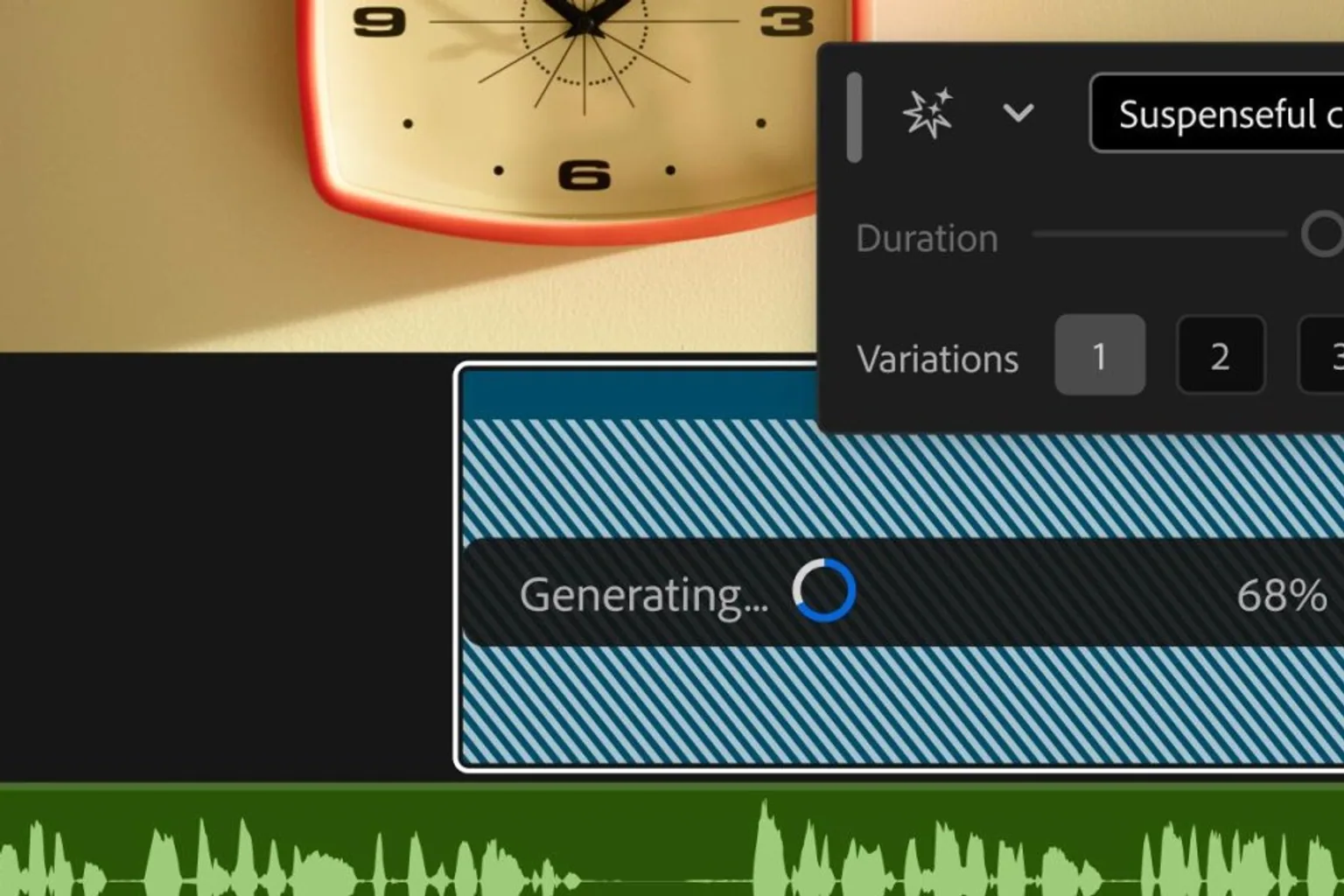
The company’s new Generative Media tool lets users select an empty space on a video or audio track and generate material in context, without leaving the Premiere timeline. The feature covers video, sound effects, music, and soundscapes, according to *The Verge*.
That workflow change is more consequential than the addition of another text-to-video button. Professional editing is organized around sequences, timing, pacing, and review cycles. Moving out to a browser or standalone generator to make a clip, download it, import it, and fit it into an edit creates friction—and breaks concentration. Adobe’s bet is that putting generation inside the timeline makes AI useful for routine production gaps rather than just for isolated experiments.
A model-selection layer inside the editor
Premiere users will be able to choose among several underlying models, including Adobe Firefly, Google Veo, Runway, Luma, and Kling. That turns Premiere into more than an editing application with a proprietary AI feature: it becomes a workflow layer over a growing market of generative-media systems.
For creative teams, the appeal is optionality. Different models can produce different visual styles or perform better for particular shots. A team working under brand, rights, quality, or cost constraints may want the ability to select a model rather than redesigning its pipeline around one vendor.
It also gives Adobe a way to keep its professional users in Premiere even as specialist AI providers compete for the same creative work. The strategic contest is increasingly about where the work happens, not just whose model produces the asset.
Audio may be the more immediately useful upgrade
Adobe is also introducing AI audio tools in beta that can separate overlapping speakers, duck music beneath speech automatically, and independently adjust dialogue and ambience. Those capabilities target frequent cleanup tasks in interviews, social video, documentaries, and fast-turnaround marketing production.
For operators, these tools could reduce time spent on first-pass audio repair and let smaller teams deliver a more usable rough cut sooner. They do not eliminate the need for an audio professional or editorial judgment—automatic separation and mixing can introduce artifacts or make poor creative choices—but they can move repetitive work earlier and closer to the editor.
In After Effects, Adobe is bringing its AI Assistant to beta. The assistant accepts plain-language instructions to reorganize projects, troubleshoot technical issues, and create effects without requiring users to write expressions. That could lower the barrier to motion-graphics work for editors who know what result they need but are not specialists in After Effects’ technical systems.
What teams should watch
The immediate question is not whether generative media can create a usable clip or sound. It is whether teams can use it reliably inside established approval, provenance, storage, and delivery processes.
Editors and production leaders should test how generated assets remain editable, how model choice affects consistency across a project, and whether the workflow captures enough information for client or legal review. They should also examine pricing, availability, output quality, and any usage terms attached to third-party models offered through Premiere.
Adobe’s update points to a broader shift in creative software: AI is becoming less of a standalone prompt interface and more of an embedded production utility. If the tools work predictably, the biggest benefit may be simple—fewer empty timeline gaps and fewer context switches on the way to a finished cut.